Step-by-Step User Guide
How to Use Parent Sharing?
Securely share your baby profile with your partner, manage invites, and keep all records synchronized for both sides. This prevents care responsibility from piling up on one person.
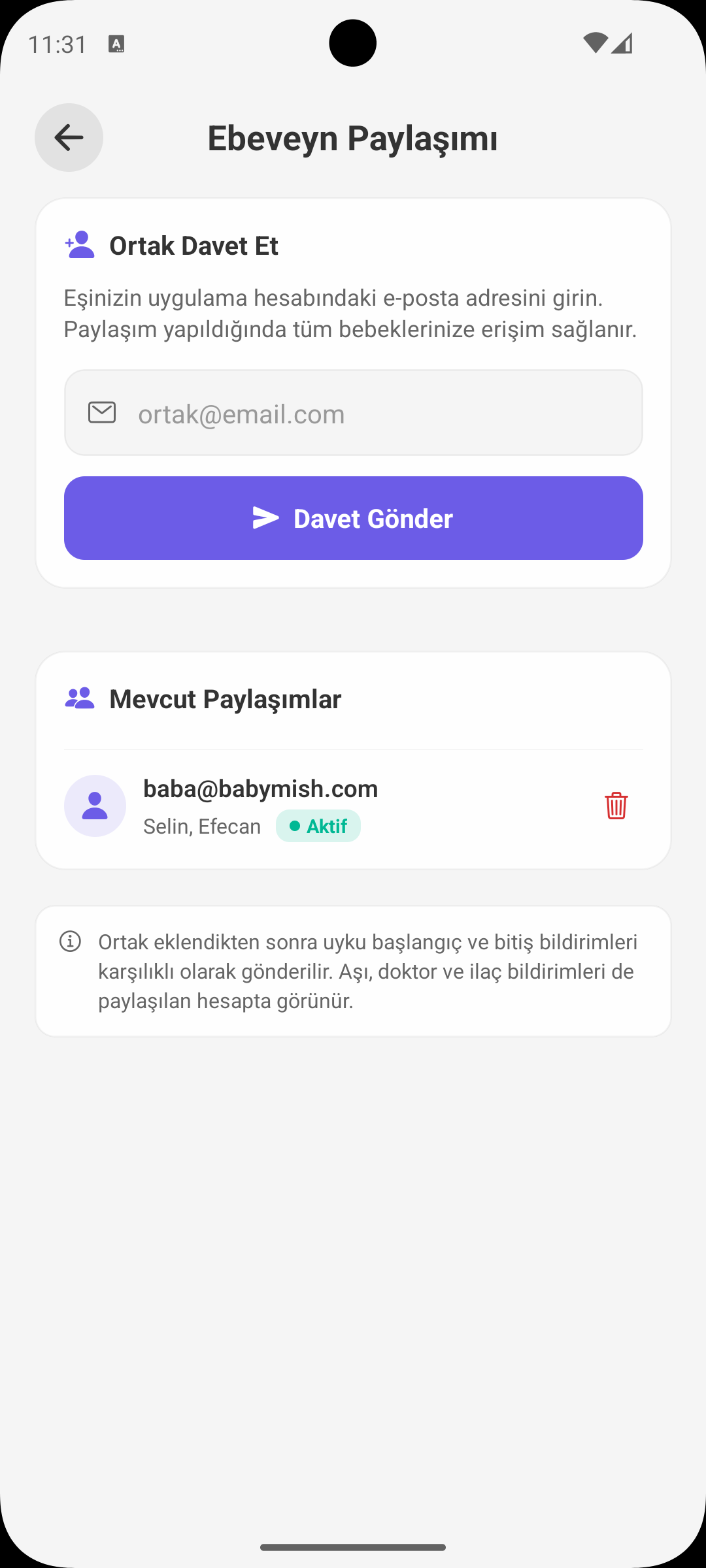
SEND INVITE
Start Sharing via Email
- On the mother account side, an invite is sent by entering partner email.
- The system prevents sending invites to your own email.
- Pending invites are shown in the list.
INVITE MANAGEMENT
Accept / Decline Flow
- Incoming invites appear in a separate section on partner account.
- When accepted, sharing becomes active and accounts are linked.
- Declined invites are removed from the system.
ACTIVE SHARES
Who Is Connected?
- In active share list, partner email and status label are visible.
- Which baby profiles are accessible is indicated in the list.
- If needed, sharing can be removed with one tap.
ROLE LOGIC
Mother / Father Experience
- On mother side, sending invites and managing shares are emphasized.
- On father side, accepting incoming invites and viewing shared accounts are emphasized.
- This structure clarifies task distribution without confusion.
SYNCHRONIZED WORKFLOW
Access to the Same Data
- Feeding, sleep, health, and task records are up-to-date on both sides.
- Uncertainty about "who did what" during night care is reduced.
- In emergencies, both parents can access latest record history.
WHY IS IT USEFUL?
Concrete Benefits for Family
- It prevents baby tracking from depending on one person only.
- It reduces communication mishaps and repetitive work.
- It enables more balanced and sustainable parent collaboration.
SHORT NOTE
Safe Usage
- Share only with trusted and actively used accounts.
- Keep data visibility current by removing access when no longer needed.
GET BABYMISH
Start today, your first entry takes 10 seconds.
Feeding, sleep and diaper logs in one tap. Share with your partner for free.