Step-by-Step User Guide
How to Use Doctor Appointments?
Plan examination appointments, view past and upcoming records clearly, and keep doctor notes/documents in one place.
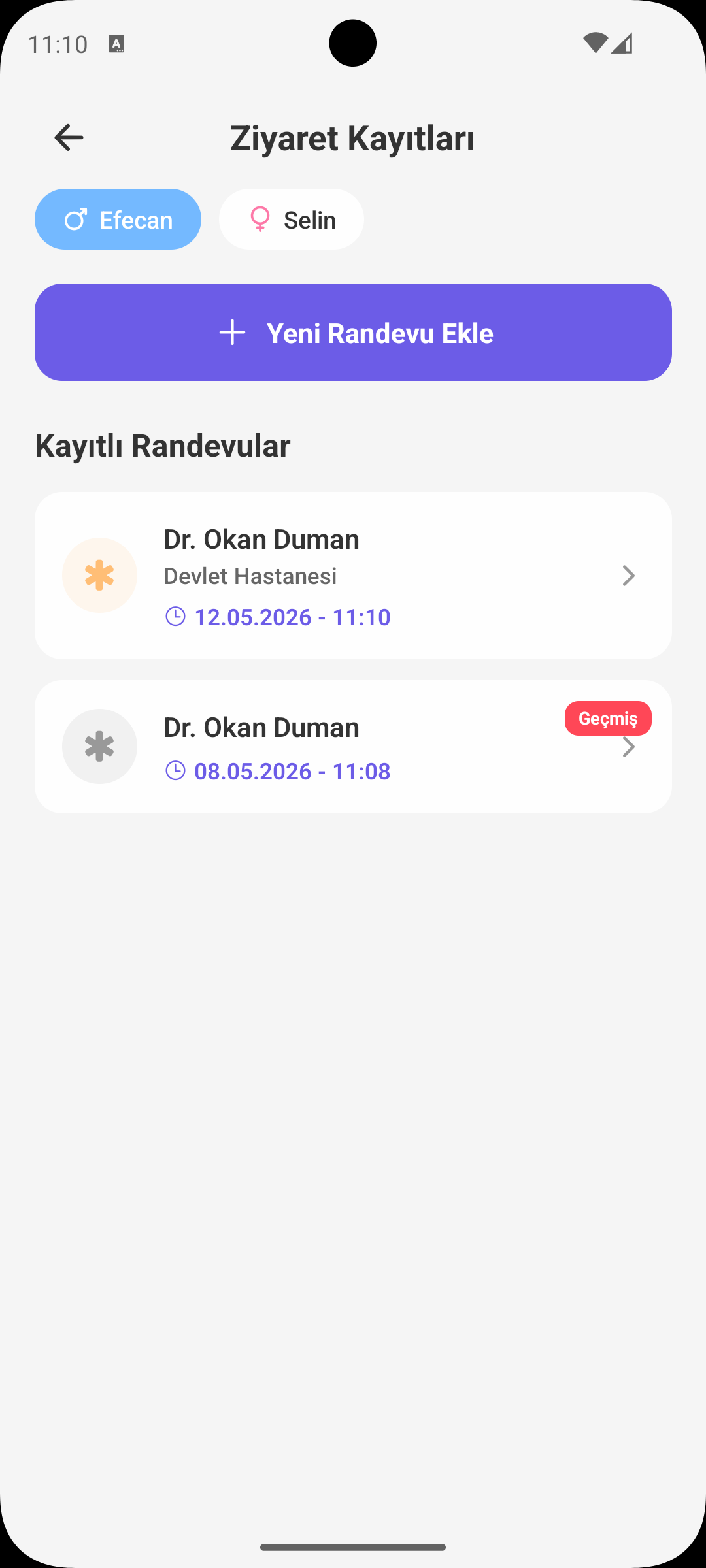
ADD APPOINTMENT
Record with Core Details
- Doctor name is required; clinic/hospital is optional.
- Create the record by selecting appointment date and time.
- You can add pre-visit questions into notes beforehand.
SMART ORDERING
Past and Upcoming Separation
- Upcoming appointments appear at the top in chronological order.
- Past appointments are listed below, with the most recent visit first.
- This gives both today-focused tracking and quick access to history on one screen.
REMINDER
Appointment Notification
- An automatic reminder is scheduled for new or updated appointments.
- If an appointment is deleted, its related notification is disabled.
- This flow reduces the risk of missed checkups.
EDIT / DELETE
Record Management
- Tap an appointment to update date, doctor, or note details.
- Incorrect or canceled records can be deleted safely.
- Your current plan always stays up to date in the list.
NOTES AND DOCUMENTS
All Content in One Appointment
- You can add post-visit doctor notes to the related appointment.
- Test/report images can be uploaded from camera or gallery.
- Uploaded documents can be viewed, downloaded, or deleted.
WHY IS IT USEFUL?
Practical Benefits for Parents
- Reduces scheduling confusion by managing checkup dates in one place.
- Prevents loss of notes and documents between doctor visits.
- Makes access to the same health history easier across different caregivers/parents.
QUICK NOTE
Medical Guidance
- The app supports structured tracking; diagnosis and treatment decisions should always follow medical advice.
- In case of urgent symptoms or rapid deterioration, seek medical care directly.
GET BABYMISH
Start today, your first entry takes 10 seconds.
Feeding, sleep and diaper logs in one tap. Share with your partner for free.