Step-by-Step User Guide
How to Use Tasks?
Share baby care responsibilities in your family, set priority and due dates, and track who completed what from one place.
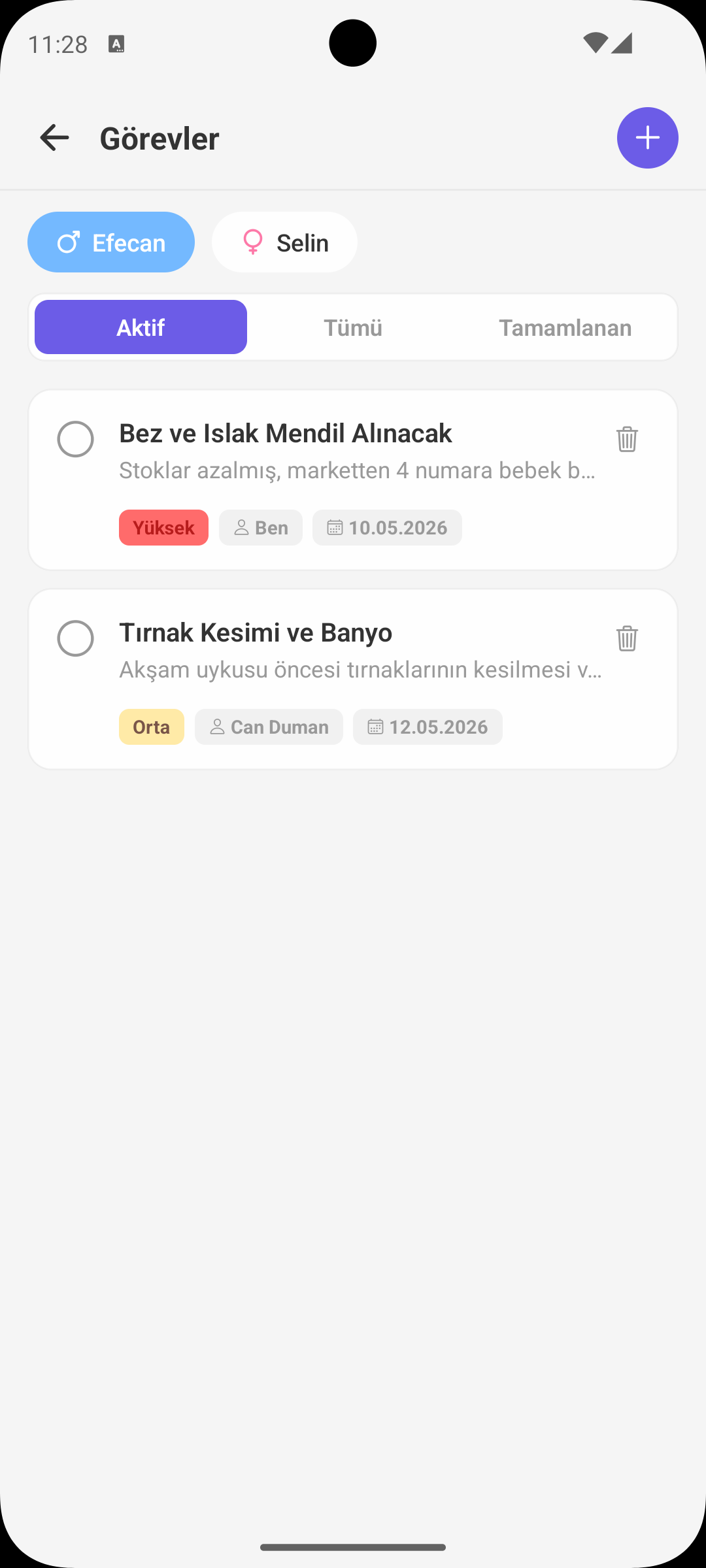
ADD TASK
Core Flow
- Task title is required, description is optional.
- Priority can be set as low/medium/high.
- You can also set a due date for the task.
ASSIGNMENT
Who Should I Assign This Task To?
- A task can be assigned to yourself or a family member.
- When assigned, a notification is sent to the related person.
- This clarifies task sharing and reduces the risk of forgetting.
STATUS TRACKING
Active / Completed
- You can filter the list as active, completed, or all tasks.
- A task can be marked completed with one tap.
- For completed tasks, who finished it and when is stored.
PRIORITY AND DUE DATE
What Should Be Done First?
- Colored priority badges help you separate urgent tasks quickly.
- Overdue tasks become visibly highlighted.
- Daily care routine moves forward in a more organized way.
EDIT / DELETE
Keeping the List Clean
- In active tasks, content, assignment, and due date can be updated.
- Unnecessary or incorrect tasks can be deleted safely.
- This ensures only current tasks remain in the list.
WHY IS IT USEFUL?
Benefits for the Family
- Provides visible responsibility sharing between parents.
- Reduces the uncertainty of "Who was going to do it?"
- Builds a sustainable workflow for baby care.
QUICK NOTE
Practical Tip
- Create routine tasks with short and clear titles (e.g. "Evening medicine", "Night bottle prep").
- Simplify your daily plan by keeping high-priority and near-due tasks at the top.
GET BABYMISH
Start today, your first entry takes 10 seconds.
Feeding, sleep and diaper logs in one tap. Share with your partner for free.