Step-by-Step User Guide
How to Use Fever & Symptom Tracking?
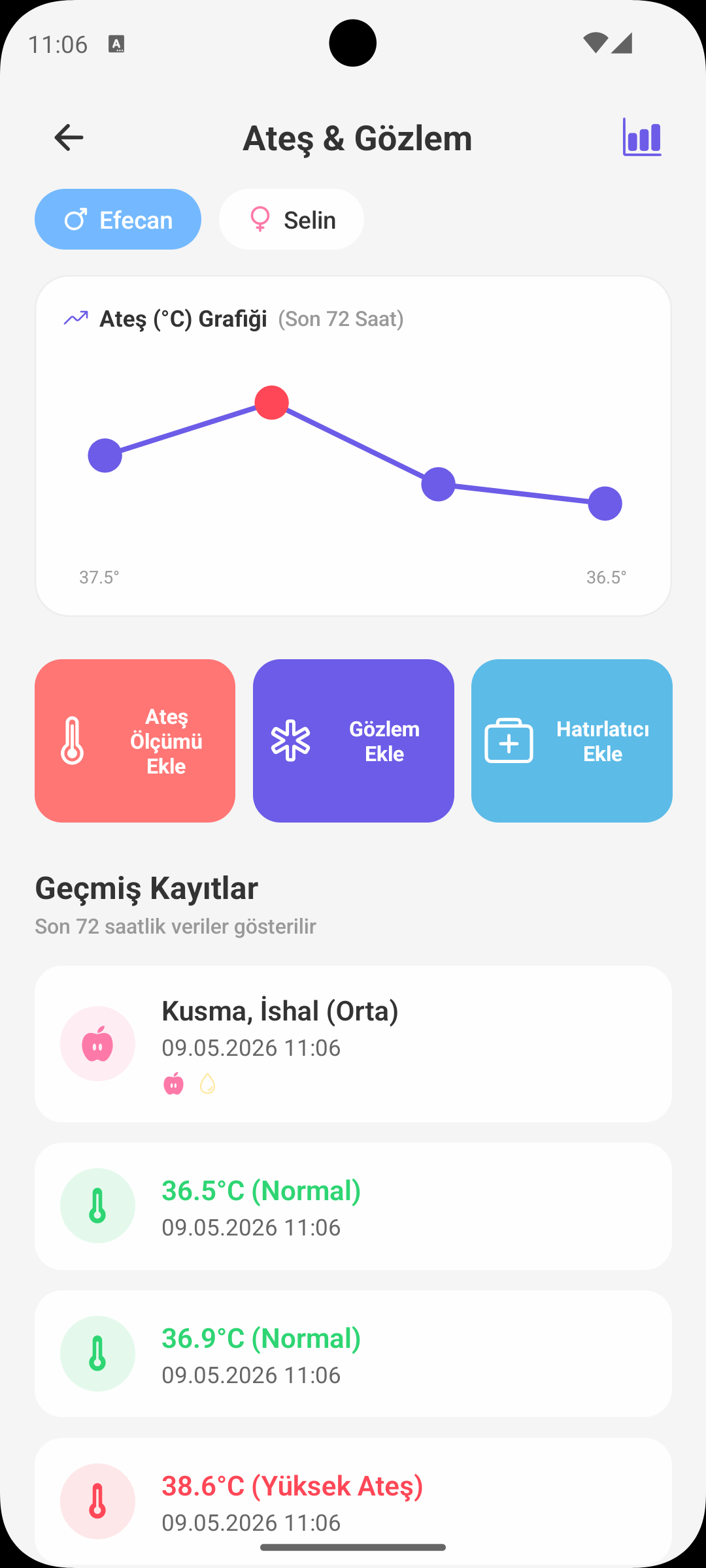
Track temperature measurements, symptoms, and medication usage on a single screen. This helps you clearly see both the daily condition and the overall course of the last 72 hours.
QUICK START
Which Record Should I Add?
- There are three record types on this screen: Temperature, Symptom, Medication.
- You can open the relevant form and create a record in a few steps.
- All records are combined in one list with date-time details.
TEMPERATURE RECORD
Accurate Measurement Tracking
- Temperature is entered as a decimal value (e.g. 38.2°C).
- The app checks extreme low/high values to help prevent incorrect entries.
- When enough data exists, a fever trend chart is generated from recent measurements.
SYMPTOM RECORD
Symptom + Severity
- You can select symptoms like cough, runny nose, vomiting, diarrhea, and restlessness.
- For each symptom record, severity can be set: low, medium, high.
- If needed, add your daily observations in the notes field.
MEDICATION RECORD
Dose and Reminder
- Medication name, dose information, and time are recorded.
- If you want, you can enable automatic reminders for medication (e.g. every 4 hours).
- Active reminders can be disabled or updated from the screen.
PAST RECORDS
Last 72 Hours View
- Symptom and medication records are listed chronologically.
- Each record shows type, time, content, and note details.
- Tap a record to edit or delete it.
WHY IT MATTERS
Benefits of Tracking
- You can clearly see when symptoms started and how they changed.
- You proceed without mixing up medication times.
- During doctor visits, you can share the timeline with concrete records.
SHORT NOTE
Safe Use Reminder
- The app supports tracking and organization; it does not replace medical diagnosis.
- Consult a healthcare professional for high fever, prolonged symptoms, or worsening overall condition.
GET BABYMISH
Start today, your first entry takes 10 seconds.
Feeding, sleep and diaper logs in one tap. Share with your partner for free.