Step-by-Step User Guide
How to Use Community?
Share experiences safely with parents in a similar stage, ask questions, and get feedback. It provides community support so you can move forward without feeling alone in baby care.
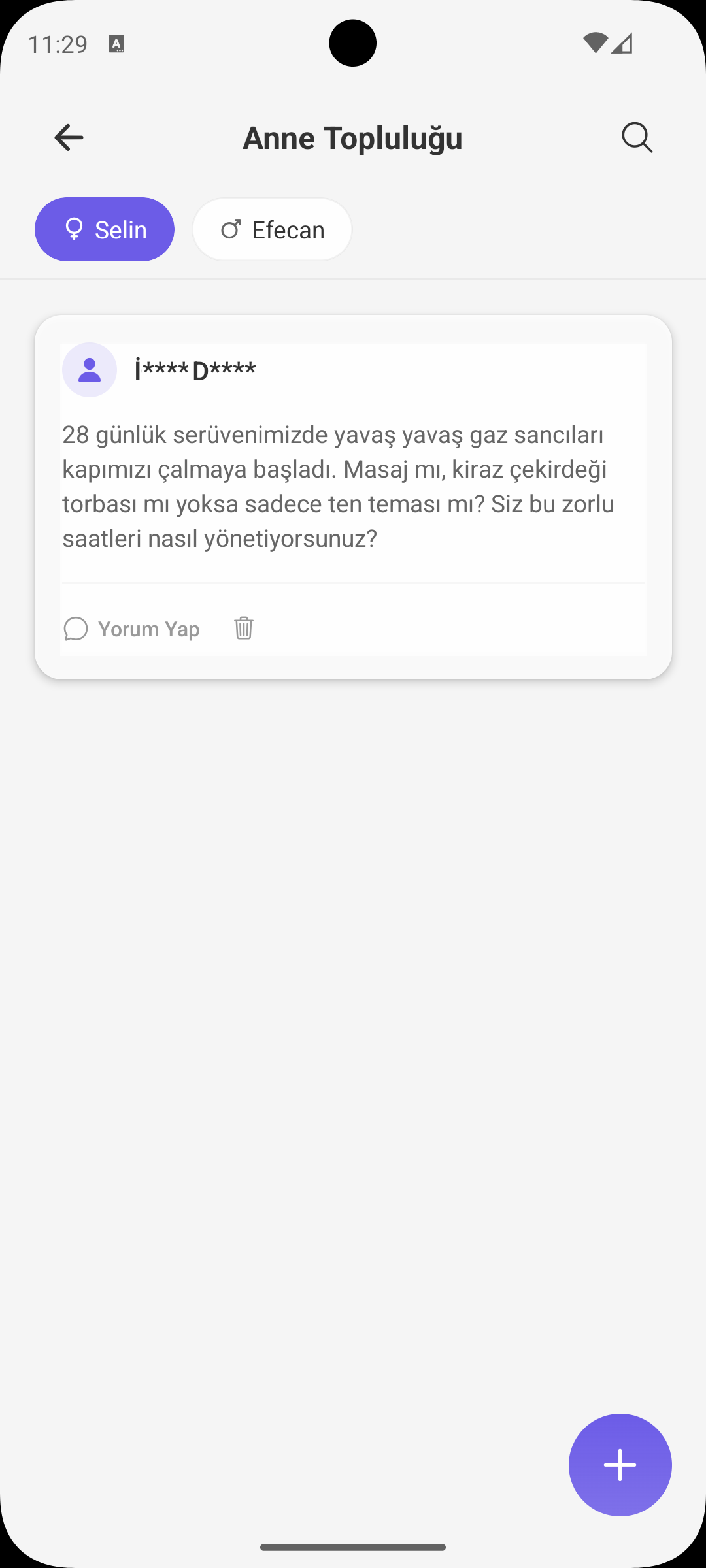
CREATE POST
Share a Question or Experience
- First select the related baby profile and then share your post.
- Post content passes through a safety filter to maintain community quality.
- After sharing, the feed updates and your content becomes visible.
ANONYMITY
Identity Protection
- Usernames are shown with masking logic.
- This helps parents ask questions more comfortably.
- A balance between privacy and safe sharing is maintained.
COMMENTS
Interaction and Feedback
- You can start conversations through comments under each post.
- Comments can be highlighted based on reaction count.
- This helps you reach the most helpful answers faster.
SIMILAR STAGE LABEL
More Relevant Experience
- Stage labels based on baby age are shown on posts.
- Posts from parents in a similar stage to your baby are additionally marked.
- This feature helps you quickly find suggestions close to your needs.
SEARCH AND FEED
Finding Content Quickly
- You can filter posts by keyword from the search field.
- With pagination, older posts load step by step.
- Feed performance stays smooth while content depth increases.
SAFETY
Report and Clean Up
- Inappropriate posts/comments can be reported.
- You can delete your own content and keep your feed organized.
- A respectful and safe communication culture is supported in the community.
SHORT NOTE
Community and Health Information
- Suggestions in the community are experience-sharing; they do not replace diagnosis or treatment.
- For urgent situations or medical decisions, pediatric advice should be prioritized.
GET BABYMISH
Start today, your first entry takes 10 seconds.
Feeding, sleep and diaper logs in one tap. Share with your partner for free.