Step-by-Step User Guide
How to Use Diaper Tracking?
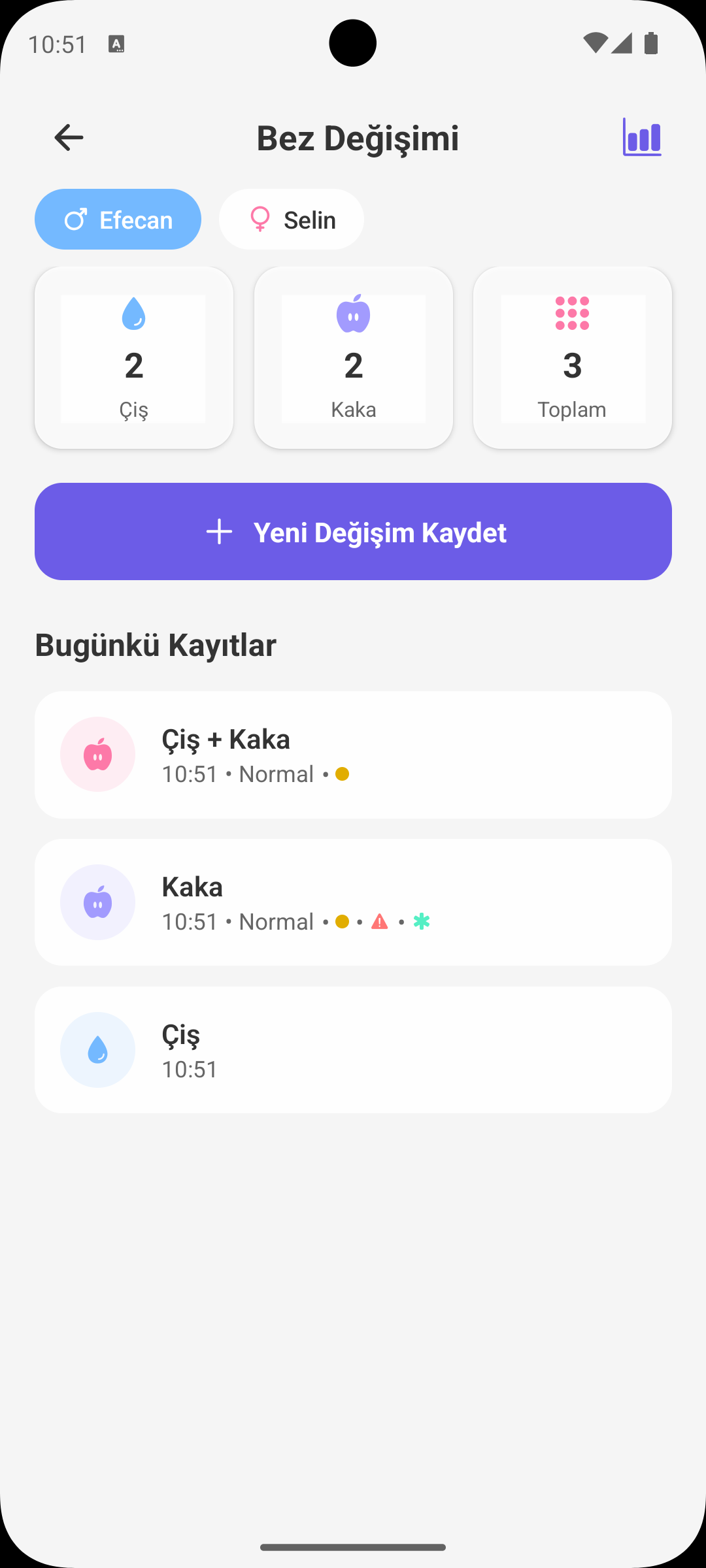
Babymish Diaper Tracking screen is designed to keep pee/poo logs, stool consistency and color tracking, and rash/cream usage records in an organized way.
QUICK START
Adding a New Record
- Select the correct baby profile.
- Tap Add Diaper Change.
- Choose record type: Pee, Poo or Mixed.
- Daily statistics update automatically when you save.
POO DETAILS
Consistency and Color Tracking
- You can select consistency in poo records: watery, normal, hard.
- You can mark stool color from the color palette.
- These details provide clarity for digestion tracking and doctor visits.
SKIN TRACKING
Rash and Cream Info
- During record entry, you can mark rash present and cream applied options.
- These markers make historical skin condition tracking easier.
- They help you see the effect of care routine more clearly.
REMINDER
Smart Diaper Change Alert
- After a new diaper log, app can schedule the next check reminder.
- Regular reminders prevent missing routine, especially at night and busy hours.
DAILY SUMMARY
Instant Statistics Cards
- Daily pee, poo and total change counts are shown at the top.
- Mixed records count for both pee and poo totals.
- This summary gives a one-glance view of daily balance.
PAST RECORDS
Timeline and Editing
- Each record shows time, type, consistency/color and notes.
- Tap a record to open actions: Edit or Delete.
- Fix incorrect entries quickly and keep a clean record history.
WHY IT HELPS
How Diaper Tracking Helps Parents
- You notice daily elimination pattern changes earlier.
- With rash/care tracking, you manage skin sensitivity better.
- You can provide concrete records for better doctor evaluations.
GET BABYMISH
Start today, your first entry takes 10 seconds.
Feeding, sleep and diaper logs in one tap. Share with your partner for free.