Step-by-Step User Guide
How to Use Sleep Sounds?
Help your baby fall asleep with soothing sounds like white noise, womb sounds and shushing.
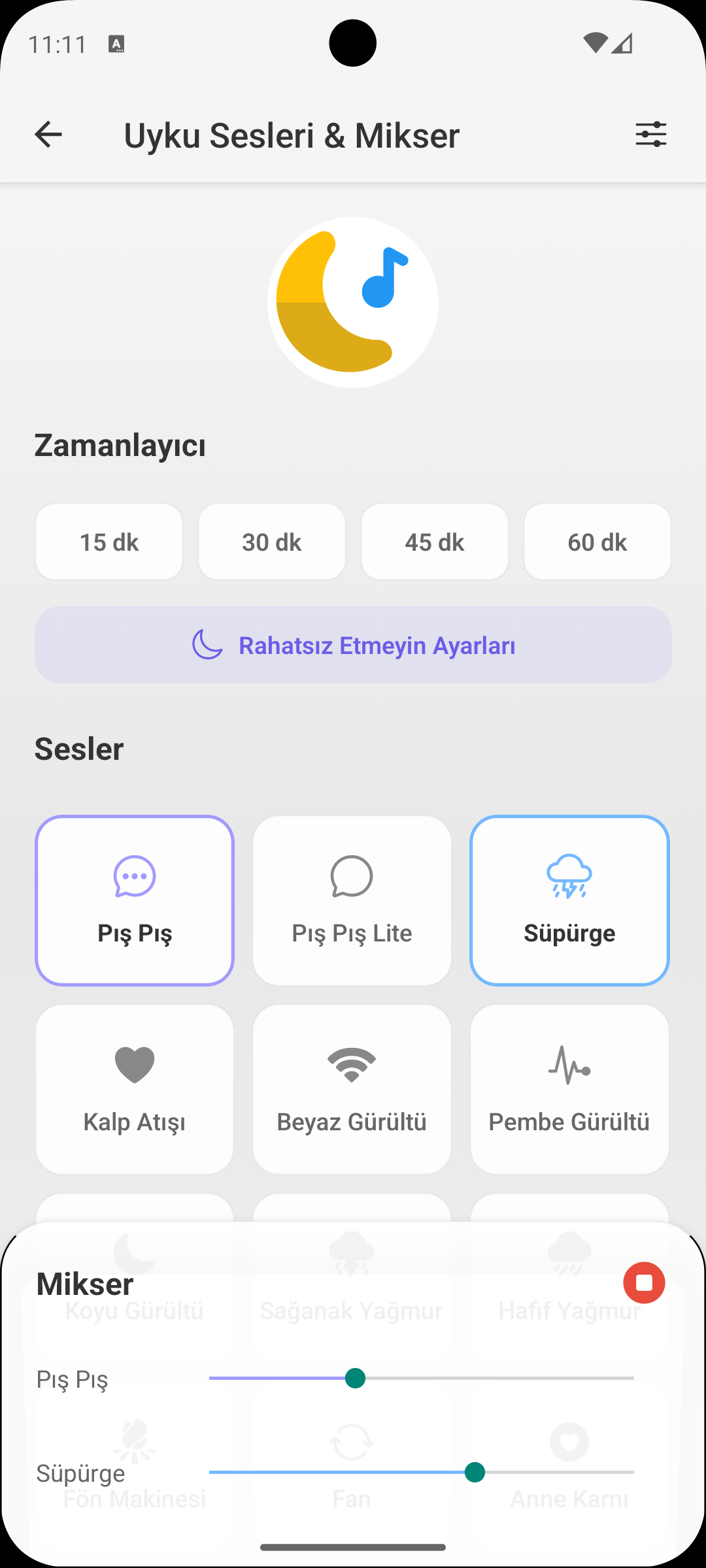
QUICK START
Playing a Sound
- Open the Sleep Sounds screen.
- Select one of the sound cards: white noise, rain, river, womb, shush, lullaby.
- Tap play; sound continues playing in the background.
- Adjust volume with phone buttons or the in-app slider.
TIMER
Auto-Stop Timer
- Tap the timer icon and select duration: 15, 30, 45, 60 minutes or unlimited.
- When time is up, sound stops automatically without waking your baby.
- When used with sleep recording, sound duration can be matched with sleep duration.
SOUND CATEGORIES
Which Sound Does What?
- White noise: masks environmental noise, effective in colic soothing.
- Womb sound: reunites newborns with familiar environment, calms them.
- Rain / river: provides calm background sound for older babies.
- Lullabies: support your sleep ritual, making routine building easier.
PERSONAL RECORDING
Record Your Own Voice
- Tap Record to record your own lullaby or soothing voice.
- Recorded sound is added to your personal sounds list.
- When you're away, caregiver or partner can maintain routine by playing the same sound.
WHY IT HELPS
Benefits of Sleep Sounds
- It's a scientifically supported method for calming babies, especially during colic.
- Consistent sound routine builds sleep association and speeds up sleep onset.
- When used integrated with sleep tracking, sleep quality analysis becomes more meaningful.
GET BABYMISH
Start Today
Manage baby care smartly, store every record with ease.