Step-by-Step User Guide
How to Use Diaper Tracking?
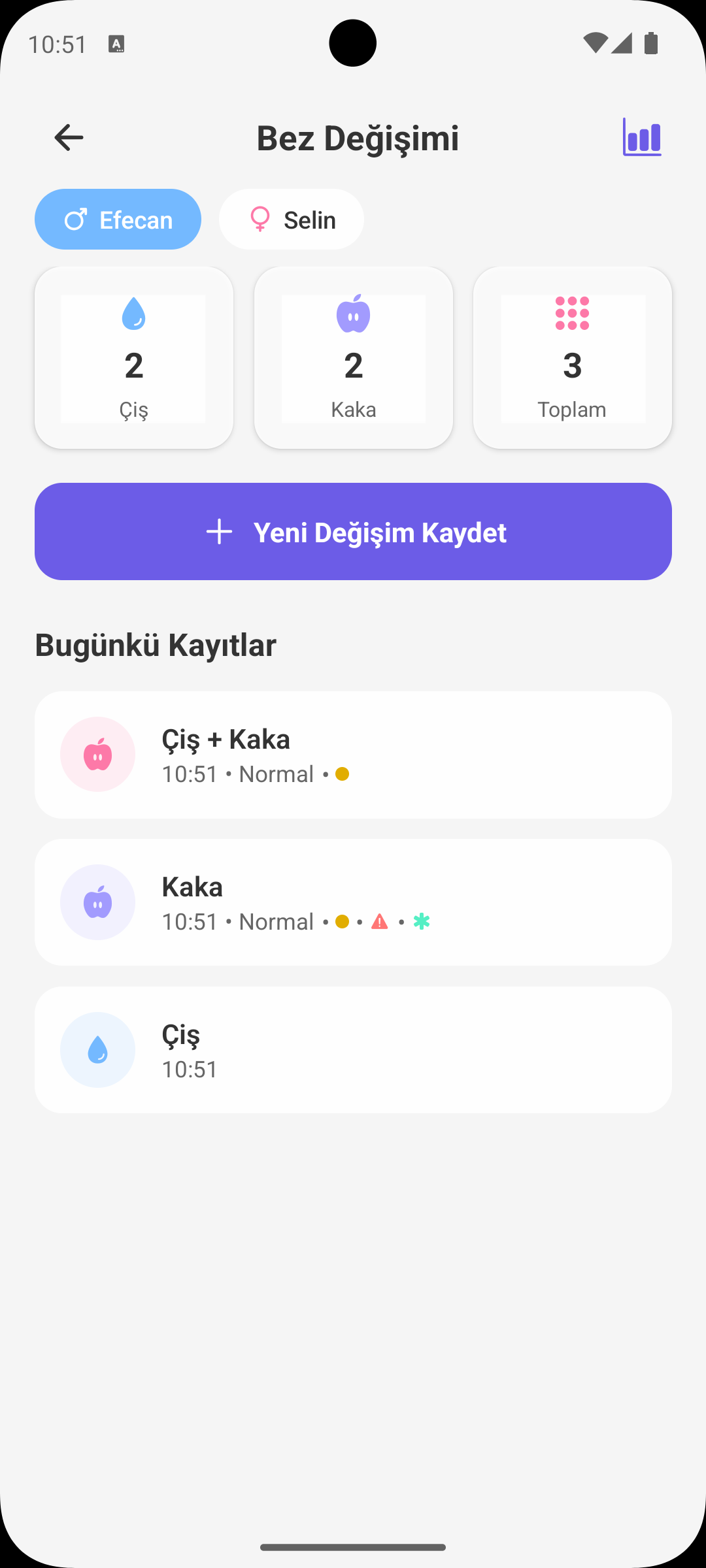
Babymish Diaper Tracking screen is designed to keep pee/poo logs, stool consistency and color tracking, and rash/cream usage records in an organized way.
QUICK START
Adding a New Record
- Select the correct baby profile.
- Tap Add Diaper Change.
- Choose record type: Pee, Poo or Mixed.
- Daily statistics update automatically when you save.
POO DETAILS
Consistency and Color Tracking
- You can select consistency in poo records: watery, normal, hard.
- You can mark stool color from the color palette.
- These details provide clarity for digestion tracking and doctor visits.
SKIN TRACKING
Rash and Cream Info
- During record entry, you can mark rash present and cream applied options.
- These markers make historical skin condition tracking easier.
- They help you see the effect of care routine more clearly.
REMINDER
Smart Diaper Change Alert
- After a new diaper log, app can schedule the next check reminder.
- Regular reminders prevent missing routine, especially at night and busy hours.
DAILY SUMMARY
Instant Statistics Cards
- Daily pee, poo and total change counts are shown at the top.
- Mixed records count for both pee and poo totals.
- This summary gives a one-glance view of daily balance.
PAST RECORDS
Timeline and Editing
- Each record shows time, type, consistency/color and notes.
- Tap a record to open actions: Edit or Delete.
- Fix incorrect entries quickly and keep a clean record history.
WHY IT HELPS
How Diaper Tracking Helps Parents
- You notice daily elimination pattern changes earlier.
- With rash/care tracking, you manage skin sensitivity better.
- You can provide concrete records for better doctor evaluations.
GET BABYMISH
Start Today
Manage baby care smartly, store every record with ease.