Step-by-Step User Guide
How to Use Doctor Appointment Tracking?
Plan medical appointments, log doctor notes and prescriptions. All health history in one place.
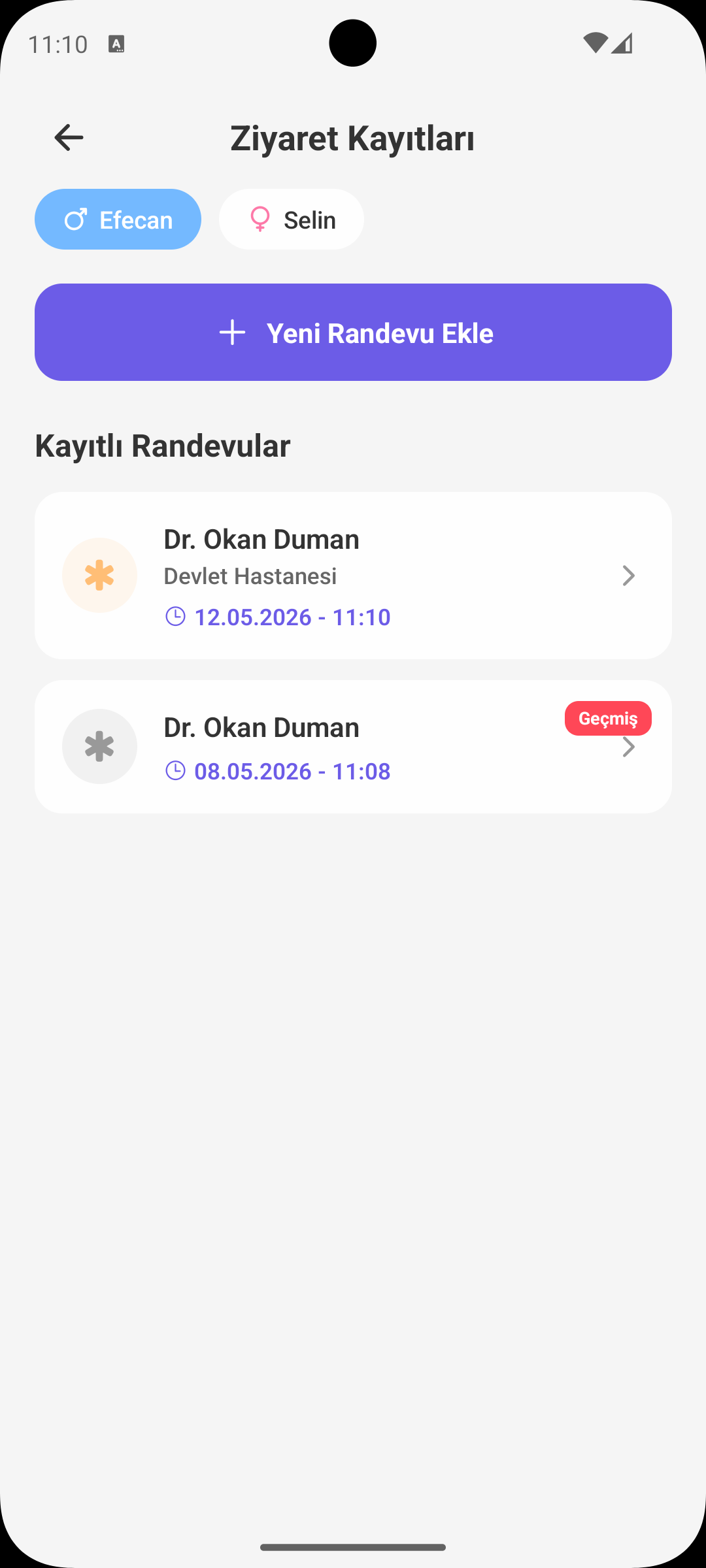
QUICK START
Adding a New Appointment
- Tap Add Appointment.
- Select appointment type: pediatrics, eye, dental, ENT, check-up, etc.
- Enter date, time and doctor/clinic name.
- You can set a reminder for appointment day.
EXAM NOTES
Doctor Notes and Diagnoses
- After the exam, record doctor notes, diagnosis and recommendations.
- You can also add the medication prescription to the same appointment record.
- Notes serve as backward reference in subsequent visits.
TEST REPORTS
Storing Lab Results
- You can add test results like blood or urine tests to the relevant appointment record.
- Findings are stored as text or notes.
- Past results presented chronologically make it easier to track health trends.
UPCOMING APPOINTMENTS
Calendar View
- Upcoming appointments are listed in the top section of the screen.
- Past appointments move to archive, accessible when needed.
- You can set both daily and weekly reminders to avoid missing appointments.
WHY IT HELPS
Benefits of Doctor Appointment Tracking
- Eliminates appointment chaos; all plans in one screen.
- Past exam notes ensure continuity of care.
- All medical history stays centralized when seeing multiple specialists.
GET BABYMISH
Start Today
Manage baby care smartly, store every record with ease.