Adım Adım Kullanım Rehberi
Banyo ve Bakım Takibi Nasıl Kullanılır?
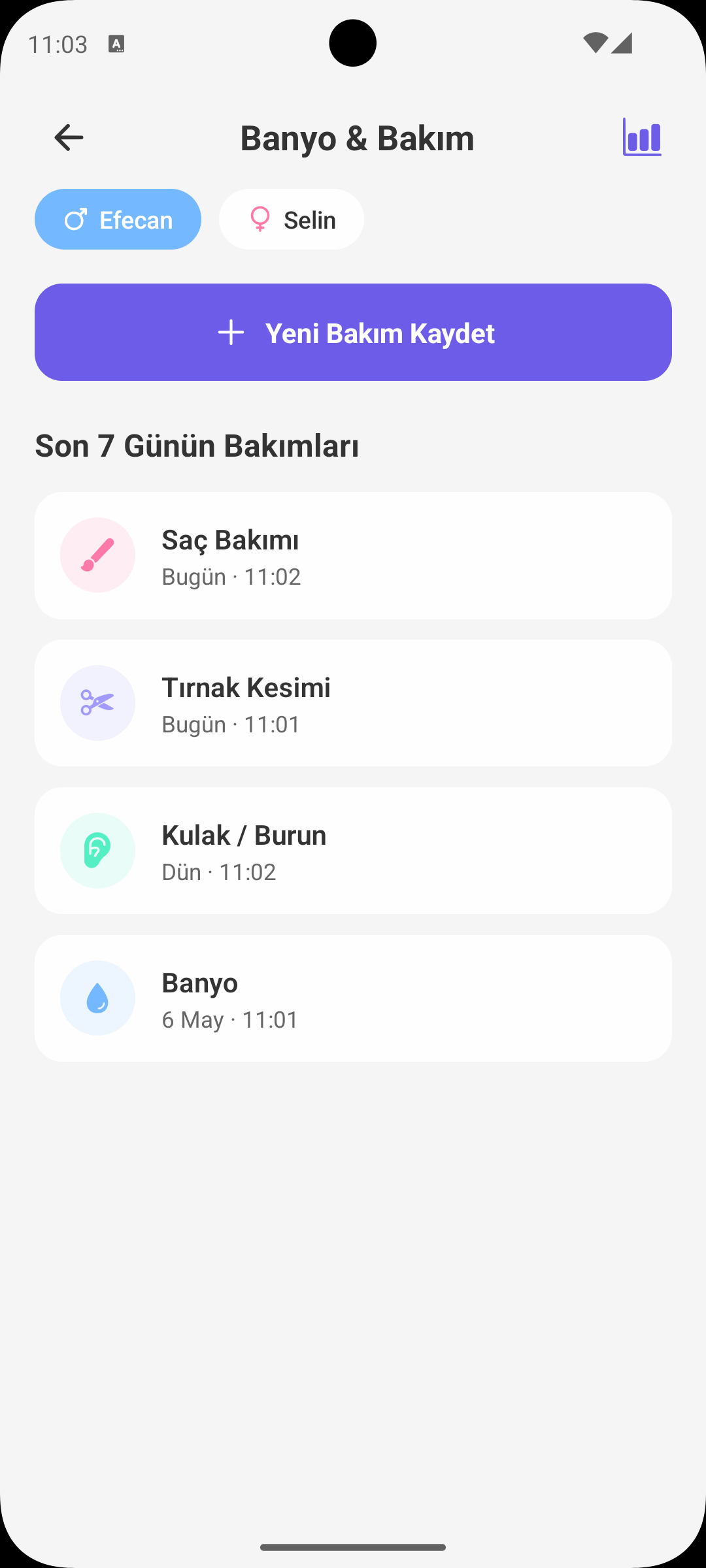
Banyo, tırnak kesimi, masaj, kulak ve saç bakımı gibi rutinleri düzenli kaydetmek için bu ekranı kullanın. Son 7 günün bakım geçmişi tek bakışta görünür.
HIZLI BAŞLANGIÇ
Yeni Bakım Kaydı Ekleme
- Doğru bebek profilini seçin.
- Bakım Ekle butonuna dokunun.
- Bakım türünü seçin: banyo, tırnak, masaj, kulak veya saç bakımı.
- Tarih-saat seçip kaydettiğinizde kayıt listeye anında eklenir.
BAKIM TÜRÜ SEÇİMİ
Kategorili Takip
- Her bakım türü farklı ikon ve renkle ayrılır.
- Böylece son günlerde hangi bakımın yapıldığını hızla görebilirsiniz.
- Özellikle kalabalık haftalarda bakım dengesini korumayı kolaylaştırır.
TARİH / SAAT
Geçmişe Dönük Kayıt
- Bakımı o anda girmediyseniz, doğru tarih ve saat seçerek sonradan ekleyebilirsiniz.
- Bu sayede bakım geçmişiniz daha doğru ve düzenli olur.
- Rapor ekranındaki analizler de daha gerçekçi görünür.
NOT EKLEME
Kısa Gözlem Notları
- Her kayda isteğe bağlı not ekleyebilirsiniz.
- Örn: "banyoda huzursuzdu", "tırnaklar çok uzamıştı", "masaj sonrası hızlı uyudu".
- Bu notlar zaman içinde bebeğin bakım tepkilerini anlamanızı kolaylaştırır.
SON 7 GÜN
Bakım Geçmişi
- Liste son 7 güne ait kayıtları gösterir.
- Bugün / dün ifadeleriyle tarihleri daha hızlı takip edersiniz.
- Yakın dönem rutini gözden geçirmek için ideal görünüm sağlar.
KAYIT YÖNETİMİ
Düzenle ve Sil
- Bir kayda dokununca işlem menüsü açılır.
- Yanlış girişleri düzenleyebilir veya silebilirsiniz.
- Böylece bakım geçmişi temiz ve güvenilir kalır.
NEDEN İŞİNİZE YARAR?
Banyo ve Bakım Ekranının Faydaları
- Bakım rutinlerinin atlanmasını önler.
- Ebeveynler arasında görev paylaşımını kolaylaştırır.
- Bebeğin rahatlama/uyku davranışlarını bakım türüyle ilişkilendirmenize yardımcı olur.
- Doktor veya bakım verenle düzenli bilgi paylaşımı için pratik bir geçmiş sunar.
BABYMISH’İ EDİNİN
Bugün başlayın, ilk kaydınız 10 saniye.
Beslenme, uyku ve bez kayıtları tek dokunuşta. Eşinizle ücretsiz paylaşın.